


YCMOU Assignment Format Guide: Complete Template & Examples

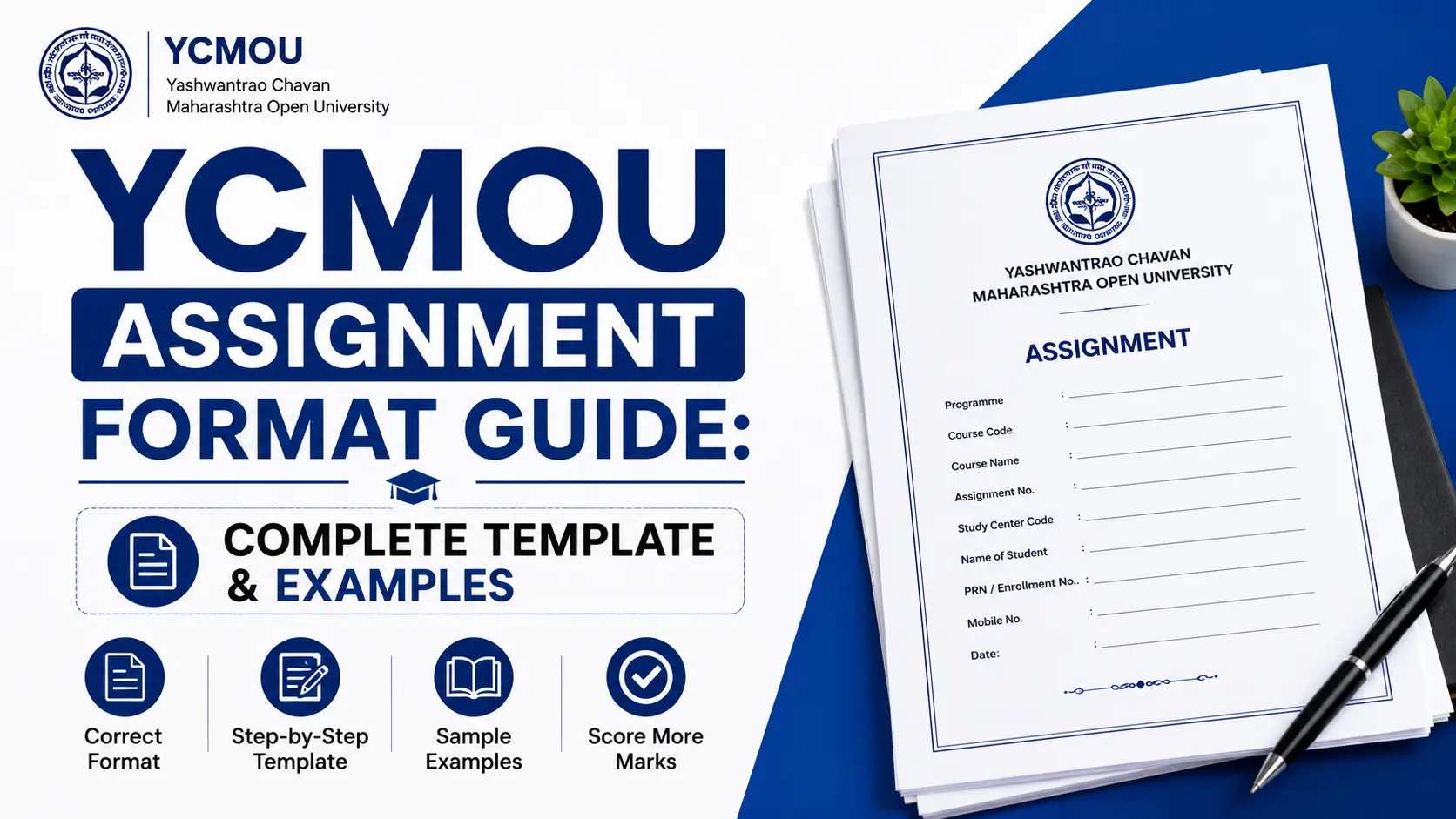
Your assignment format isn’t just about aesthetics—it’s about marks. At YCMOU (Yashwantrao Chavan Maharashtra Open University), proper formatting accounts for 5-10% of your total assignment marks. That’s not a minor detail; that’s free marks on the table if you get it right.
Many YCMOU students spend weeks researching and writing their assignments, only to lose precious marks because their presentation doesn’t meet university guidelines. The irony? The formatting rules are straightforward. Once you understand them, you’ll never have to worry about rejected assignments or deductions again.
This guide walks you through every aspect of how to format YCMOU assignments—from the paper you use to the way you scan and submit your work. Whether you’re submitting your first assignment or your tenth, you’ll find everything you need here. We’ll cover paper specifications, cover page requirements, question-answer structures, scanning procedures, and real-world examples of what works and what doesn’t.
By the end of this post, you’ll have a complete roadmap for proper assignment formatting that gets you full marks for presentation.
Paper & Writing Requirements: Getting the Basics Right
This is where most students get tripped up. YCMOU has specific requirements for the paper itself, your handwriting, and how you lay out your content. Let’s break it down.
Paper Type and Dimensions
Use A4 white paper only. Not off-white, not cream-colored—white. This matters because when your assignment is scanned and submitted online, the contrast makes your handwriting clearer and easier for examiners to read. Colored paper can cause scanning issues and make your text harder to distinguish from the background.
Margins: The Non-Negotiable Rule
YCMOU requires 1-inch margins on all sides (top, bottom, left, and right). This isn’t arbitrary—it’s standard academic practice that leaves room for examiner comments and ensures your content isn’t cramped at the edges.
Quick Reference Table: Paper Specifications
| Specification | Requirement | Why It Matters |
|---|---|---|
| Paper Size | A4 (210 x 297 mm) | International standard for academic work |
| Paper Color | White | Ensures clarity when scanned |
| Margins | 1 inch all sides | Standard academic format; room for feedback |
| Sides | One-sided only | Easier to read; follows YCMOU guidelines |
| Writing | Handwritten (NO typed/printed) | University requirement for authenticity |
| Ink Color | Black or blue pen | Scans clearly; remains legible long-term |
The Handwriting Rule: Why Typed Assignments Get Rejected
Here’s the critical point: YCMOU assignments MUST be handwritten. Typed, printed, or digitally generated text will result in immediate rejection.
This isn’t a suggestion—it’s a hard rule. The university enforces this because:
- Authenticity verification: Handwriting proves the assignment is your own work
- Academic integrity: Open and distance learning requires this as part of evaluation
- Consistency: YCMOU maintains uniform standards across all study centers
If your handwriting is small or tight, that’s acceptable as long as it’s legible. Examiners need to read what you’ve written. If someone needs a magnifying glass to decipher your words, you’ll lose marks for legibility.
Handwriting Legibility and Neatness
Write clearly. This doesn’t mean your handwriting needs to be perfect—it needs to be readable.
- Use a comfortable pen (ballpoint or gel pen works fine)
- Maintain consistent spacing between lines
- Avoid heavy scratching or crossing out (use a single line if you need to correct something)
- Leave adequate space between words so they don’t blur together when scanned
One-Sided Writing Only
Write on one side of the paper only. This means the back of your pages stays blank. Why? When assignments are scanned and uploaded, examiners view them digitally. Writing on both sides can create scanning issues where text from the back shows through, making the document hard to read.
Diagrams, Charts, and Visual Elements
If your assignment includes diagrams (common in science and technical subjects):
- Draw diagrams using a pencil only
- Ensure diagrams are clear and properly labeled
- Keep diagrams on one side of the page (not on the reverse)
- If a diagram spans across to another page, clearly indicate the continuation
- Use rulers for straight lines where appropriate
Pencil is preferred because it scans cleaner than pen for technical drawings, and you can erase if needed without creating messy corrections.
Cover Page Requirements: Setting the Right First Impression
Your cover page is the first thing an examiner sees. It needs to be complete, accurate, and properly formatted. A missing or incomplete cover page can result in your assignment being returned without evaluation.
Essential Cover Page Fields
Your cover page must include the following information in this order:
- University Name: “Yashwantrao Chavan Maharashtra Open University”
- Course Code: (e.g., “BED-101”, “MA-English-101”)
- Course Name/Title: Full name of the course
- Year/Semester: Academic year and semester (e.g., “2025-26, Semester 1”)
- Assignment Number: (e.g., “Assignment 1” or “TMA 01”)
- Your Full Name: (as per enrollment records)
- Enrollment Number: Your unique YCMOU enrollment ID
- Regional Centre: Name and code of your regional center
- Study Centre: Name and code of your local study center
- Date of Submission: The date you’re submitting the assignment
- Signature Line: Space for your signature
Cover Page Template Example
Here’s exactly how your cover page should look:
YASHWANTRAO CHAVAN MAHARASHTRA OPEN UNIVERSITY
Course Code: BED-101
Course Name: Foundations of Education
Year/Semester: 2025-26, Semester 1
Assignment Number: Assignment 1
Name of Student: Priya Sharma
Enrollment Number: 2401123456
Regional Centre: Pune (RC-15)
Study Centre: Pune North (SC-1502)
Date of Submission: 15 August 2025
Signature: ___________________
Pro Tip: Leave enough space on the cover page. Don’t cram information or use reduced font sizes. The cover page should be clean, centered, and easy to read at a glance.
Question Answer Structure: Formatting Your Response Content
How you structure your answers matters just as much as what you write. YCMOU assignments typically include three types of questions, and each has different formatting requirements.
Short Answer Questions (SAQ): The 100-150 Word Format
Short Answer Questions usually require concise, focused responses. Here’s how to structure them:
Word Limit: 100-150 words (stay within this range)
Structure Your Answer This Way:
- Definition/Introduction (30-40 words): Start with a clear definition or introductory statement that directly addresses the question
- Explanation (50-80 words): Expand on your definition with relevant details and key concepts
- Example or Application (20-30 words): Conclude with a practical example that reinforces your answer
Example SAQ Structure:
Question: What is sustainable development?
Answer: Sustainable development is economic and social progress that meets the needs of the present without compromising future generations’ ability to meet their needs. It balances economic growth, environmental protection, and social equity. For instance, building solar power plants creates jobs and reduces emissions while providing long-term energy security—a model used increasingly across Maharashtra’s villages and cities.
Word count: 62 words ✓
This structure works because it answers the question completely without unnecessary elaboration.
Long Answer Questions (LAQ): The 300-500 Word Format
Long Answer Questions demand deeper analysis and comprehensive coverage. Here’s the proper structure:
Word Limit: 300-500 words (or as specified in your assignment)
Structure Your Answer This Way:
- Introduction (50-75 words): Restate the question, provide context, and indicate your main points
- Main Content – Point 1 (80-100 words): Develop your first major argument with examples
- Main Content – Point 2 (80-100 words): Develop your second major argument with supporting details
- Main Content – Point 3 (60-80 words): Add a third perspective or aspect if the question warrants it
- Examples/Case Studies (60-80 words): Include real-world examples relevant to your answer
- Conclusion (40-60 words): Summarize your key points and restate the significance
Example LAQ Structure:
Question: Discuss the role of technology in distance education. How has it transformed learning for YCMOU students?
Answer:
[Introduction paragraph establishing the topic and main arguments…]
[Point 1: Learning platforms and accessibility…]
[Point 2: Interactive tools and student engagement…]
[Point 3: Assessment and feedback mechanisms…]
[Real-world example: How video lectures and discussion forums have helped Maharashtra-based students…]
[Conclusion: Synthesis of technology’s transformative role…]
This structure prevents rambling and ensures you cover all aspects of the question comprehensively.
Multiple Choice Questions (MCQ): The Simple Format
MCQs require the least complex formatting:
Format Rule: Simply tick (✓) or circle the correct option number or letter
Guidelines:
- No explanations needed unless explicitly asked
- If asked for explanations, provide 1-2 sentences maximum
- Submit MCQ answers on a separate page from Short Answer Questions
- Group all MCQs together at the end of your assignment
Example:
1. What is the primary goal of open education?
   a) Profit generation
   b) ✓ Accessibility to all regardless of background (CORRECT - marked)
   c) Credential exclusivity
   d) Limited enrollment
Scanning Your Handwritten Assignment: The Digital Submission Process
Once you’ve handwritten and completed your assignment, you need to convert it to a digital format for online submission. Here’s the step-by-step process:
Step 1: Use a Quality Scanner or Mobile App
You don’t need an expensive document scanner. Modern smartphone scanning apps like CamScanner, Adobe Scan, or even Google Lens work excellently. If your city has internet cafes or study centers, they usually have scanners available.
Step 2: Ensure Scanning Quality
Critical checkpoints before scanning:
- Good lighting (natural daylight works best)
- Flat, even surface (lay pages on a table, not on your lap)
- Straight alignment (pages should be perpendicular to the camera)
- Check the preview before finalizing each page
Poor scan quality is a common reason for assignments being marked as illegible. If you can’t read it clearly on your screen, neither can your examiner.
Step 3: Convert to PDF Format
Most scanning apps automatically create PDFs. If they don’t, use:
- Online converters (Smallpdf.com, ILovePDF.com)
- LibreOffice (free, desktop software)
- Microsoft Word (insert scanned images, then export as PDF)
Why PDF? YCMOU’s submission portal accepts PDF files, and PDFs maintain consistent formatting across different devices.
Step 4: Check File Size (Must Be Under 5MB)
Large files may fail to upload. Keep your assignment under 5MB.
If your file is too large:
- Reduce image quality slightly (not so much that text becomes unreadable)
- Use PDF compression tools (Smallpdf, ILovePDF)
- Delete unnecessary blank pages
- Rescan at slightly lower resolution
Check your file size before uploading. Right-click the file → Properties (Windows) or Get Info (Mac) to see size.
Step 5: Verify All Pages Are Included
Open your PDF and scroll through every single page:
- Count pages: Does the PDF contain all pages you scanned?
- Check for duplicates: Are any pages scanned twice?
- Verify order: Are pages in the correct sequence?
- Check completeness: Can you read all text clearly?
Missing pages = incomplete submission = rejection.
Step 6: Save With Proper File Naming
Use this naming convention for your scanned file:
Format: [EnrollmentNumber]_[CourseCode]_HA[AssignmentNumber].pdf
Examples:
2401123456_BED101_HA01.pdf(First assignment for BED-101)2401123456_MAENG105_HA02.pdf(Second assignment for MA English)2401654321_COMMERCE201_HA01.pdf(First assignment for Commerce course)
Why proper naming?
- Easy identification in university databases
- Helps staff match assignments to correct students
- Reduces submission errors
Visual Examples: What Good Assignment Formatting Looks Like
Sample Cover Page (Correctly Formatted)
Imagine a properly formatted cover page with:
- University name centered at the top in bold
- All required fields listed vertically with clear spacing
- Student information (name, enrollment number) prominently placed
- Study center details clearly visible
- Signature space at the bottom
- Adequate white space (not cramped)
- Consistent font size and pen pressure throughout
When scanned, this cover page remains completely legible—no text bleeding, no dark spots, no illegible handwriting.
Correct vs. Incorrect Margins Example
CORRECT margins (1-inch all sides):
- Text starts 1 inch from the top
- Text ends 1 inch from the bottom
- Left margin is 1 inch
- Right margin is 1 inch
- Result: Clear, professional appearance with room for examiner feedback
INCORRECT margins (common mistakes):
- Margins less than 0.5 inches (text appears cramped)
- Margins uneven (e.g., 0.5″ left, 1.5″ right)
- Text running to the edge of the page
- Result: Looks unprofessional, difficult to read when scanned, less space for comments
Proper Paper Layout Diagram
Visualize your A4 page with:
- Cover page as the first sheet
- Question numbers clearly marked (Question 1, Question 2, etc.)
- Answers following immediately after each question
- New questions starting on new lines (not mid-page)
- Page numbers in the footer (optional but recommended)
- No writing on the reverse of any page
Before/After Scanning Examples
Before scanning (handwritten assignment):
- Clear handwriting in blue or black pen
- Proper spacing between lines
- Diagrams drawn neatly with pencil
- No coffee stains or crumples
- Cover page filled completely and accurately
After scanning (digital PDF):
- Text remains sharp and readable
- Diagrams are clear and not distorted
- No shadows or scanning artifacts
- File size is under 5MB
- All pages are in order
- Ready for upload to YCMOU portal
Common Format Mistakes: What Kills Your Marks
Learn from others’ mistakes. Here are the most common formatting errors YCMOU students make—and how to avoid them.
Mistake #1: Submitting Typed or Printed Assignments
The Problem: Students sometimes print their assignments thinking it looks more professional.
What Happens: Automatic rejection. The assignment won’t be evaluated at all.
Why It Happens: Some students misunderstand the rules or think typed work is easier to read. It isn’t worth the risk.
How to Avoid: Remember—handwritten only, no exceptions. If you’re unsure about your handwriting, practice before you write the final version.
Mistake #2: Poor Handwriting That’s Illegible
The Problem: Small, cramped, or messy handwriting makes it impossible for examiners to read answers.
What Happens: Deduction of 5-10% of marks or entire questions marked as unanswered.
Example: A student with naturally small handwriting writes an LAQ in tiny script. When scanned, even the examiners struggle to read it.
How to Avoid:
- Write at a comfortable size (not too small)
- Take your time—rushing leads to illegibility
- Use quality pen (smooth-flowing ballpoint or gel pen)
- If your handwriting is small, leave slightly more space between lines
Mistake #3: Wrong or Uneven Margins
The Problem: Writing too close to the edges or using inconsistent margins.
What Happens: Loss of 2-3 marks for presentation; text may be cut off if the assignment is printed for review.
Example: A student uses 0.75-inch margins instead of 1-inch. It looks cramped and loses marks.
How to Avoid:
- Use a ruler to mark the 1-inch margin points lightly in pencil
- Erase these marks after you finish writing
- Alternatively, use pre-printed paper with margin guides (available in stationery shops)
Mistake #4: Missing or Incomplete Cover Page
The Problem: Submitting an assignment without a cover page or with missing information (like study center code or signature).
What Happens: Assignment returned without evaluation; request to resubmit.
How to Avoid:
- Use the template provided in this guide
- Double-check that ALL required fields are filled
- Sign on the signature line before submitting
- Keep the cover page as your first page
Mistake #5: Writing on Both Sides of the Paper
The Problem: Thinking you’re being efficient by writing on both sides.
What Happens: When scanned, text from the back may show through the front, making both sides difficult to read. Examiners may mark the back side as incomplete if they miss it.
How to Avoid:
- Write on one side only
- Use more paper if needed—it’s not a problem
- Make sure the back of every page is completely blank
Mistake #6: Poor Quality Scans
The Problem: Scanning in dim lighting, at an angle, or with low resolution.
What Happens: Submitted file is unreadable or contains distorted text and diagrams.
Example: A student scans in lamplight without a flat surface. The PDF is slanted and dark. The examiner can’t read it clearly and the assignment gets poor marks.
How to Avoid:
- Scan in natural daylight if possible
- Place pages flat on a table (not your lap)
- Use a quality scanner app with preview
- Test the scan quality before uploading
Mistake #7: Incorrect File Naming
The Problem: Saving as “Assignment.pdf” or “My Assignment.pdf” instead of using the proper format.
What Happens: Administrative confusion; assignment may be marked as submitted but not linked to your records.
How to Avoid:
- Use the naming convention:
[EnrollmentNumber]_[CourseCode]_HA[AssignmentNumber].pdf - Example:
2401456789_MAENG101_HA01.pdf - Check before uploading
Conclusion: Formatting = Easy Marks
Here’s the truth: proper formatting is the easiest way to guarantee marks on your YCMOU assignment. You don’t need to be a brilliant writer to get formatting right—you just need to follow the rules.
Quick Recap of Key Points:
✓ Use A4 white paper with 1-inch margins
✓ Handwrite only—no typed assignments
✓ Keep handwriting legible
✓ Write on one side of the page only
✓ Use a complete, properly filled cover page
✓ Structure short answers and long answers appropriately
✓ Scan in good lighting and ensure quality
✓ Save as PDF under 5MB
✓ Use proper file naming conventions
When you submit an assignment that follows these guidelines, you’re not just meeting requirements—you’re showing respect for the evaluation process and making it easy for examiners to read and assess your work. That often translates into better grades, not just for format but for content too.
